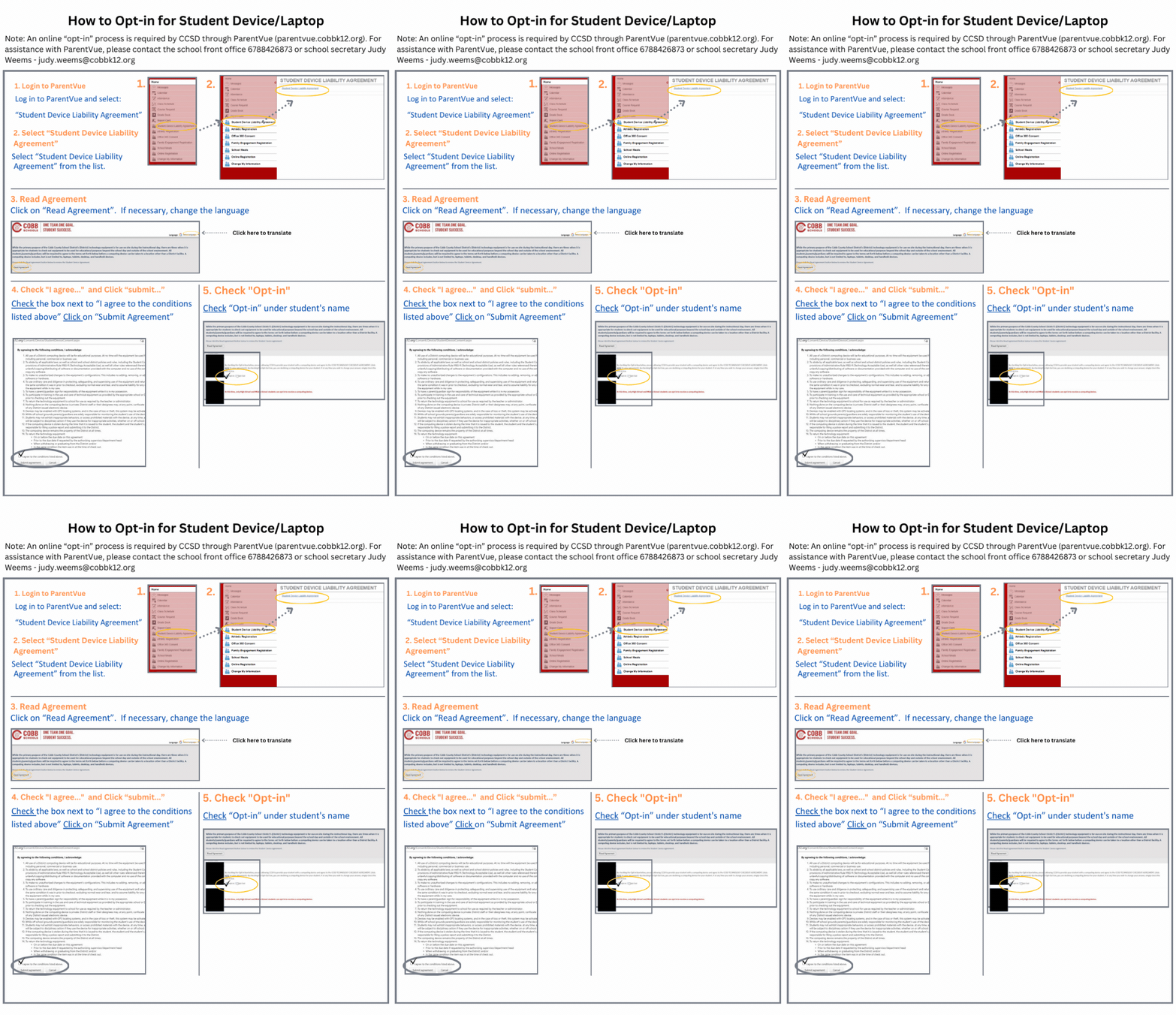


At Campbell Middle School, we recognize that technology plays an important role in preparing students for success in an ever-changing world. Through our district's Bring Your Own Device (BYOD) program, students have the opportunity to use technology to access digital resources, collaborate with classmates, and engage more deeply in learning activities under the guidance of their teachers.
Students may use either a personal laptop or a district-issued device to access instructional materials and online learning tools. A student who participates in BYOD and uses a personal device is choosing that device in place of a district-issued device during the school year. Personal devices are not permitted as a secondary or supplemental device in addition to a district-issued device. Students may have only one primary instructional device for school use, whether personal or district-issued.
Parents are not required to opt in for a district-provided device if their child has a suitable personal device available for school use.
All students, regardless of whether they use a personal device or a district-issued device, are expected to follow district technology policies, school guidelines, and responsible digital citizenship practices.
Personal Device Guidelines
For purposes of BYOD, a "device" refers to privately owned wireless or portable electronic equipment that can connect to the internet and support educational activities. Examples include laptops, tablets, and other approved devices capable of accessing web-based learning resources.
Please note:
Students may use one personal device as a replacement for a district-issued device. Personal devices may not be brought to school for use as an additional or secondary device.
Students must connect personal devices to the district's secure wireless network while on campus.
School staff can assist with connecting personal devices to the school Wi-Fi network.
The school cannot provide technical support, maintenance, or repairs for personally owned devices.
All instructional resources and student platforms are web-based, allowing students to access required learning materials regardless of the device used.
Use of personal technology at school is a privilege and must support educational purposes as directed by school staff.
Parents are encouraged to review the accompanying Microsoft 365 FAQ for Parents document for additional information regarding student access to digital learning tools and resources.